
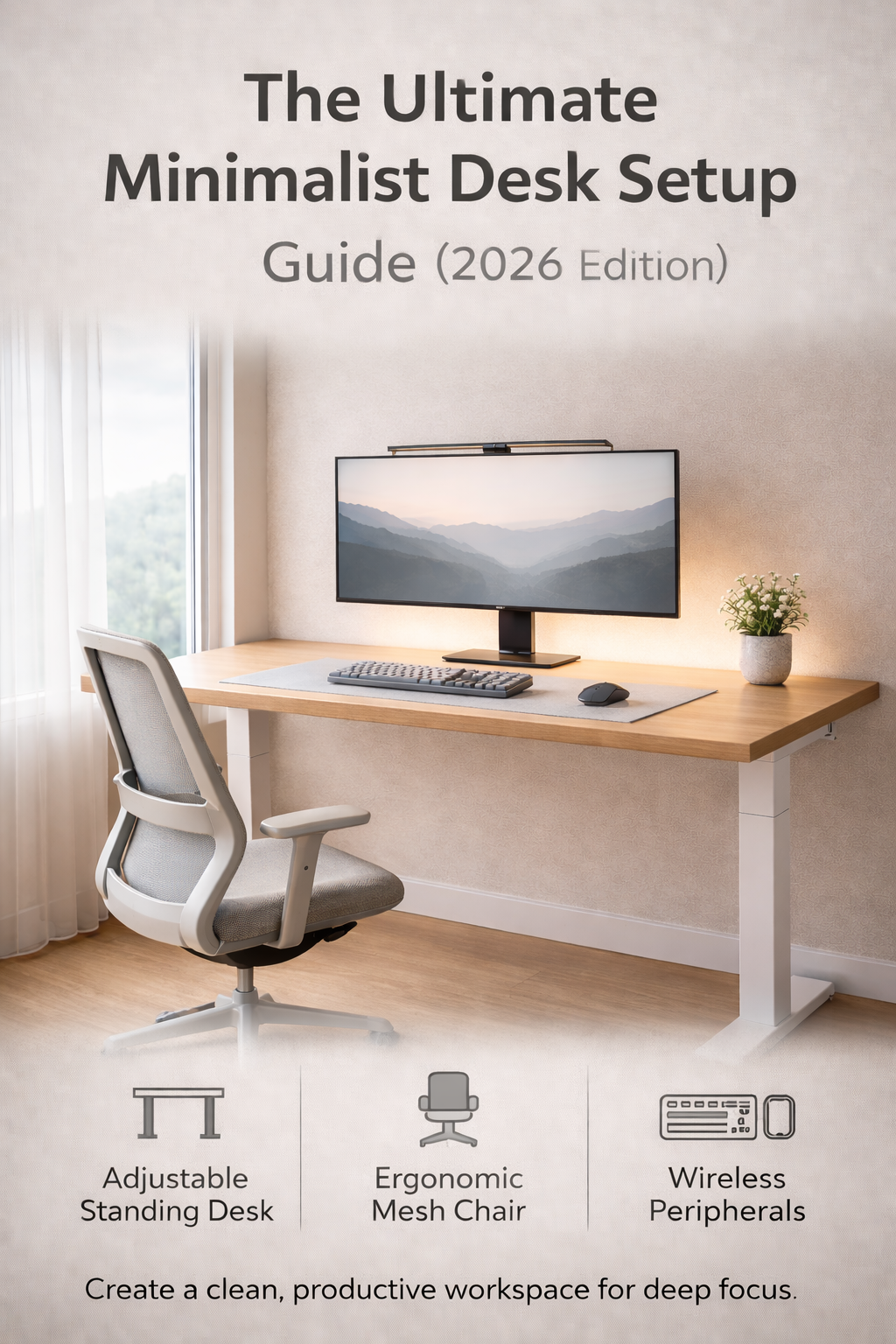
Does your desk make you feel stressed before you even open your laptop?
We have all been there. You sit down to work, but between the tangle of cables, the stack of papers, and the blinking lights of unnecessary gadgets, your brain is already tired.
A minimalist desk setup isn’t just about aesthetics or making your workspace look like an Instagram post. It is a productivity tool. The philosophy is simple: Reduce visual noise to increase mental clarity.
When you remove the clutter, you remove the distractions. What is left is a space that invites you to enter “Deep Work”—that state of peak concentration where real progress happens.
In this guide, we won’t just tell you to “throw everything away.” We will walk you through how to build a functional, beautiful, and quiet workspace from the ground up for 2026.
1. The Foundation: Stability and Depth
The desk is the largest visual object in your room. If it is messy or wobbly, the whole room feels chaotic. For a minimalist setup, you need to ignore fancy drawers and shelves. You want a flat, solid surface.
When choosing a desk, there is one “secret” spec that most people ignore: Depth.
Standard cheap desks are usually 24 inches deep. This is often too narrow. Once you add a monitor arm and a keyboard, you end up sitting too close to the screen, which causes eye strain. We strongly recommend looking for a desk that is at least 30 inches deep. This extra space allows you to push your monitor back, leaving plenty of “white space” for your arms, a notebook, and your coffee.
The Two Best Options for 2026
1. The Electric Standing Desk (The Versatile Choice) This is the gold standard for modern setups. Being able to switch between sitting and standing keeps your energy levels up during long coding sessions or meetings.
- What to look for: A dual-motor frame (for stability) and a memory keypad (so you don’t have to guess the height every time). Brands like FlexiSpot have become the go-to recommendation here because they offer solid stability without the corporate price tag.
2. The “Slab” Writing Desk (The Aesthetic Choice) If you never plan to stand, don’t buy a standing desk “just in case.” A solid, fixed-leg table is often more stable and looks cleaner.
- What to look for: Heavy metal legs and a thick top. A simple “Parsons style” desk or a solid wood dining table often works better than a dedicated “computer desk” because they don’t have annoying keyboard trays or flimsy back panels.
Pro Tip: If you choose a standing desk, buy a Cable Management Tray immediately. Since the desk moves up and down, your cables need to move with it. Without a tray, you will have a “spaghetti monster” of wires dangling near your feet.
2. The Chair: Ergonomics Over “Racing” Vibes
If there is one rule for a minimalist aesthetic, it is this: Avoid “Gaming Chairs.”
While they are popular on Twitch, bucket-style racing chairs are often the enemy of a clean office. They are visually bulky, usually branded with loud logos, and often prioritize “locking you in” over actual ergonomic movement. Plus, the PU leather tends to get hot and uncomfortable during long work sessions.
For a quiet, productive setup, you want a Mesh Task Chair.
Why Mesh?
- Visual Lightness: Because you can see through the back of the chair, it doesn’t dominate the room. It makes small home offices feel larger and airier.
- Temperature Control: If you work long hours, airflow is critical. A mesh back keeps you cool, preventing that sticky feeling that distractions stem from.
- Active Support: Good task chairs are designed to support your lumbar spine while you sit upright to type, not just when you lean back to relax.
What to Look For: You don’t need to spend $1,500 on a Herman Miller Aeron to get a good chair (though it is the gold standard). Look for a “High-Back Mesh Ergonomic Chair” with an adjustable headrest. The key features you strictly need are adjustable lumbar support and armrests that can be lowered.
Design Note: Stick to Black, Grey, or Charcoal. A white chair looks amazing on day one, but blue denim jeans will stain a white mesh seat within a month. Go for dark colors to keep the setup looking clean long-term.
3. The Peripherals: Wireless and Silent
In a minimalist setup, cables are the enemy. Your keyboard and mouse should be wireless. But beyond looking clean, they need to sound clean.
The Keyboard: Why “75%” is the Magic Number
Standard keyboards take up a huge amount of desk space because of the number pad (which most people rarely use). For a cleaner look and better ergonomics, we recommend switching to a 75% Layout Keyboard.
These keyboards keep the arrow keys and function row (F1-F12) but chop off the number pad. This allows you to keep your mouse closer to your body, reducing shoulder strain.
- Top Recommendation: Look for “Low Profile” mechanical keyboards. They look sleek on a modern desk but still offer that satisfying tactile typing feel without looking like a bulky gaming toy.
The Mouse: Silence is Golden
The constant click-click-click of a standard mouse is a subconscious stressor. It interrupts your flow and can annoy anyone else in the room (or on your Zoom call).
Switching to a silent mouse is the single biggest upgrade you can make for a peaceful environment. You don’t lose any performance, but you gain a significant amount of focus.
We actually tested the top options for this year—check out our deep dive on the 5 Best Silent Mice for Working from Home to find the right one for your hand size.
The Desk Mat: The Unifying Layer
Don’t put your expensive peripherals directly on the hard table. Add a Wool Felt or Vegan Leather Desk Mat.
- Visuals: It visually groups your mouse and keyboard together, making them look like a “set” rather than random floating objects.
- Sound: It dampens the sound of your typing and keeps your arms warmer than the cold desk surface.
4. Lighting: Kill the “Big Light”
If you want a cozy, focused atmosphere, rule number one is simple: Never use the ceiling light. Harsh overhead lighting creates glare on your screen and casts ugly shadows, making you feel like you are in a corporate cubicle rather than a private sanctuary.
For a minimalist setup, you need lighting that illuminates your work without cluttering your desk space.
The Essential Upgrade: The Monitor Light Bar
If you only buy one accessory for your desk this year, make it a Monitor Light Bar. This is a slender lamp that clips onto the top of your computer monitor.
- Zero Footprint: It takes up literally zero space on your desk.
- No Glare: Unlike a traditional lamp, it is designed to shine light down onto your keyboard and notebook, not at your screen. This eliminates screen glare completely.
- Focus: It creates a “cone of light” right where you are working, which psychologically helps you focus on the task at hand while the rest of the room fades away.
Ambient Warmth
To balance the brightness of your screen, add a source of Warm Ambient Light behind your monitor (often called “Bias Lighting”). You can use a simple LED strip attached to the back of your desk or a small warm lamp in the corner.
- Why? If your screen is bright and the wall behind it is pitch black, your eyes have to work hard to adjust to the contrast. Soft light behind the screen reduces eye strain during late-night work sessions.
5. The Secret Sauce: Invisible Cables
You can buy the most expensive desk and the sleekest monitor, but if you have a rat’s nest of wires dangling by your feet, the minimalist illusion is broken. Visual clutter creates mental clutter.
Cable management is the difference between an amateur setup and a professional one. The goal is simple: If it doesn’t need to be seen, it shouldn’t be seen.
The 3-Step System to Hiding the Mess
1. Mount the Power Strip (The Most Important Step) The biggest mistake people make is leaving the power strip on the floor. This forces every single plug to travel all the way down to the ground, creating a waterfall of cables.
- The Fix: Buy strong double-sided mounting tape (or use screws) and mount your power strip to the underside of your desk. This creates a hidden “power hub” right where you need it. Now, your monitor and lamp plugs only have to travel a few inches to find power, staying completely out of sight.
2. Velcro is Your Best Friend Never use plastic “zip ties.” They are permanent and frustrating if you ever need to move a cable.
- The Fix: Buy a roll of Velcro Cable Ties. Group cables that are going to the same place (like your monitor power and HDMI cable) and bundle them together tightly. A single thick bundle looks much cleaner than five individual spaghetti wires.
3. Use the “Highways” Your desk legs and monitor arm are natural highways for cables.
- The Fix: If you have a monitor arm, it likely has plastic channels inside it—use them! For the desk legs, you can use simple adhesive cable clips to run the main power cable down the back of the leg. The goal is to make it look like your desk is powered by magic, with only one single cable touching the wall outlet.
Conclusion: Your Sanctuary Awaits
Building a minimalist desk setup isn’t about winning an interior design contest. It is about reclaiming your focus.
In a world that is constantly fighting for your attention with notifications, clutter, and noise, your desk should be the one place where you feel in control. A clean, quiet, and organized workspace signals to your brain that it is time to create, not consume.
You don’t need to buy everything on this list overnight. Start with the biggest pain point—whether that’s a wobbly desk, a loud mouse, or a “spaghetti” mess of cables—and upgrade one thing at a time.
A quiet space leads to a quiet mind. And a quiet mind is where your best work happens.